Professional Agri-Forestry Industry Insights | Global Intelligence Leader

How to submit FDA prior notice through the web entry system





A food shipment can be ready for dispatch while its U.S. import paperwork is still incomplete. A missing manufacturer address, an incorrect product code, or confusion between the arrival port and the delivery address can delay FDA prior notice submission and put the shipment’s arrival schedule at risk.
To complete the FDA prior notice web entry process, use FDA’s Prior Notice System Interface (PNSI): sign in through FDA Industry Systems, create a web entry for the shipment, add a prior notice for each food article, review the information, and submit it. Then save the confirmation for every article and provide the necessary details to the carrier or customs broker. A saved draft is not a submitted notice, and a confirmation is not permission to import.
Confirm that PNSI is the right filing route
PNSI is FDA’s web-based option for submitting prior notice of imported food for humans or animals. It is separate from the customs entry process. A customs broker may instead transmit prior notice through the Automated Commercial Environment (ACE). Before starting, ask who is responsible for filing so that the exporter, importer, and broker do not submit competing notices for the same articles.
Prior notice generally applies to food imported or offered for import into the United States, including many commercial samples, animal feeds, and food shipments moving through the country. However, exemptions and jurisdictional boundaries matter. Food carried by an individual for personal use can be treated differently from commercially shipped food, and products under USDA’s exclusive jurisdiction require a separate applicability assessment.
Do not assume that a small parcel, a free sample, or a product with no commercial value is exempt. Confirm the applicable FDA requirements before choosing an exemption or deciding not to file.
Gather the information before opening a web entry
The filing is easier when the invoice, packing list, transport booking, and supplier records agree. PNSI combines shipment-level information with article-specific details; one complete invoice does not necessarily contain everything the system requires.
A seafood exporter, for example, may ship goods from a warehouse in a country different from the processing facility’s location. The warehouse is not automatically the manufacturer, and the shipping country does not automatically establish the FDA country of production. Resolve these distinctions before submission.
Check the submission window against the transport plan
FDA must receive and confirm prior notice within the applicable timeframe. For ordinary shipments, the minimum advance periods are:
- Road: at least two hours before arrival.
- Rail or air: at least four hours before arrival.
- Water: at least eight hours before arrival.
For international mail, submit prior notice before the food is sent. PNSI generally permits submission no more than 15 calendar days before anticipated arrival. Different circumstances, including food accompanying an individual, can have specific requirements; check FDA’s current instructions for the shipment concerned.
Build in time to correct validation errors. Starting a notice two hours before a truck arrives does not satisfy the road requirement if FDA confirmation is only obtained later.
Work through the PNSI filing sequence
Screen labels and navigation can change. Use FDA’s current PNSI instructions alongside the sequence below, particularly when selecting shipment types or handling unusual transport arrangements.
1. Sign in and access Prior Notice
Enter FDA Industry Systems through FDA’s official website and sign in with an account that has access to the Prior Notice System Interface. New users need to create the appropriate account and enable the relevant system access.
Check the account’s contact information before filing. The submitter should be able to answer questions about the shipment, and the contact details should remain usable after submission. PNSI access is not itself food facility registration.
2. Create the shipment’s web entry
Start a new web entry and select the entry or shipment type that matches the actual movement. A standard commercial import, an international-mail shipment, and food moving through the United States are not interchangeable scenarios.
Complete the shipment-level fields requested for that selection. These can include the anticipated arrival location, date and time, transport mode, carrier identification, entry information, and transport document numbers. Some requirements depend on the shipment type and how it is transported.
Use the carrier’s latest booking information. For an air shipment, distinguish the airport where the food arrives in the United States from the consignee’s inland delivery location. For a truck movement, confirm the planned border crossing rather than selecting a nearby port simply because its name is familiar.
3. Add a prior notice for each food article
Within the web entry, add the food articles. A web entry groups shipment information; it does not replace the individual prior notices required for the articles it contains. Do not assume one notice covers every food on a mixed invoice.
Enter the common or usual product name and select the appropriate FDA product code. Classification depends on characteristics such as the food category, processing method, and packaging. A broad invoice description such as “food products” or “fish” is not sufficient for reliable classification.
Use FDA’s product-code resources when necessary. Check that the resulting code description matches the actual food. A similar commercial name is not enough when one product is dried and another is canned or otherwise processed.
4. Enter quantity, packaging, and production details
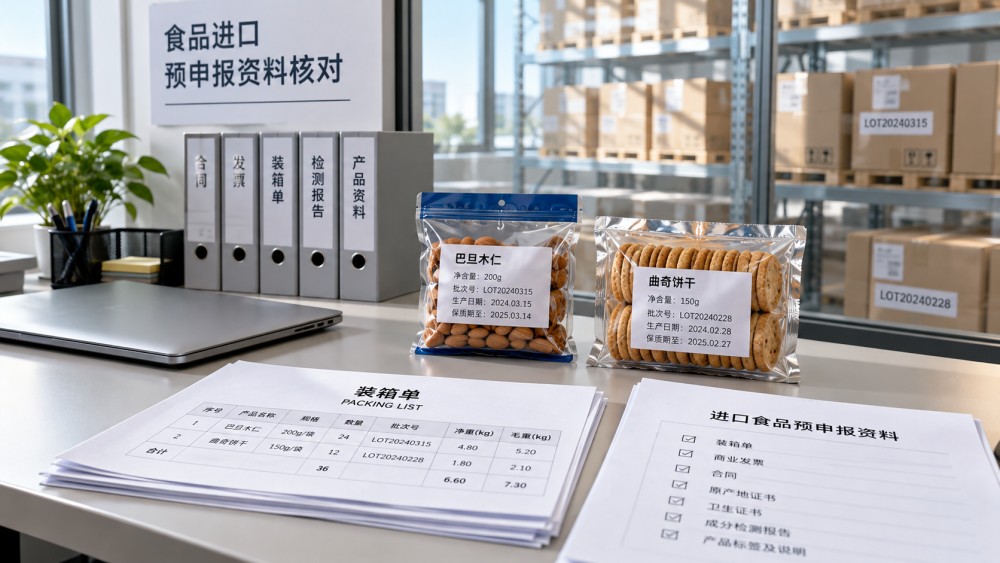
Follow the system’s quantity and packaging prompts carefully, including packaging levels where requested. Cross-check the entries against the packing list so that cartons, inner packs, individual units, and weight are not confused. Do not enter a carton count in a field requesting a different unit.
Provide the manufacturer or grower details required for the article and the applicable facility registration information. A registration number belonging to a distributor or unrelated facility is not a substitute for the correct manufacturer information.
Where PNSI permits a reason for not providing registration information, select it only when it accurately applies. A blank field, an invented number, or an unsupported exemption can create a problem even when the rest of the shipment data is correct.
5. Complete the parties and article-specific questions
Enter the shipper, importer, owner, and ultimate consignee as requested. These roles can belong to different businesses. The ultimate consignee is not automatically the customs broker, and the exporter is not necessarily the manufacturer.
Answer the required questions concerning countries that have refused entry to the food article. Obtain confirmation from the party with access to the article’s shipment history rather than treating the question as a routine “no.” Complete any other conditional fields that appear for the selected article or shipment.
For multiple articles, reuse information only after checking it. Products in one container may come from different facilities or countries and may require different product codes.
6. Review, submit, and retrieve confirmations
Review both the web entry and every article before submitting. Pay
Got questions about this industry topic or seeking best practices for your business? Drop us a line below, and let the expert team at AgriTrade help you out.
We respect your privacy. Your information is strictly confidential.
Related News
- 00
0000-00
Southeast Asia’s Plywood Industry: Key Producers and Export Markets - 00
0000-00
Vietnam Faces $3.9 Billion in Annual Agricultural and Food Losses - 00
0000-00
Cold Chain Logistics Updates: Shipment Tracking Technologies to Watch - 00
0000-00
Should You Buy Imported Wheat on FOB or CIF Terms? - 00
0000-00
Is Reefer Shipping Cheaper Than Air for Berries After Spoilage Losses?
0000-00
Supply Chain Research Editorial Team
Weekly Insights
Stay ahead with our curated technology reports delivered every Monday.