Professional Agri-Forestry Industry Insights | Global Intelligence Leader

How to submit FDA prior notice using the official PNSI portal





To submit FDA prior notice through the official Prior Notice System Interface (PNSI), sign in to FDA Industry Systems, create a shipment record, enter the required information for each food article, and submit the notices. The process is complete when FDA issues a prior notice confirmation number for each submitted article. Saving a draft does not complete the filing.
If you searched for “fda gov prior notice,” start with the FDA’s Prior Notice of Imported Foods page and follow its PNSI access instructions. This AgriTrade guide explains how to prepare the shipment information, work through the portal, and keep the confirmation connected to the goods entering the United States.
Before opening PNSI, establish who will file
FDA prior notice gives the agency advance information about food entering the United States. It generally applies to food for people and animals, including agricultural commodities, seafood, processed foods, dietary supplements, and animal feed. Shipment size or commercial value alone does not establish an exemption.
Some imports fall outside the requirement or qualify for an exemption. Food carried by an individual for personal use is one example; food shipped separately requires a different assessment. Certain meat, poultry, and egg products under USDA’s exclusive jurisdiction are also outside FDA prior notice requirements. For mixed agricultural shipments, determine the treatment of each product rather than assuming everything follows the same rule.
There are two main electronic filing routes: PNSI and the customs filing route through the Automated Commercial Environment (ACE). PNSI is useful when submitting directly through FDA’s web interface. A customs broker may instead transmit prior notice through ACE alongside entry information.
Agree on the filing route before creating notices. Ask the broker whether prior notice is included in their work. If the supplier files through PNSI while the broker also files through ACE, duplicate records can make it harder to identify the notice associated with the actual shipment. Assign responsibility for filing, reviewing, and passing the confirmation to the party handling arrival.
Plan submission around the arrival deadline
Prior notice must be received and confirmed by FDA before the food arrives, with the required advance time determined by its transportation mode:
When using PNSI, notices may be submitted up to 15 calendar days before anticipated arrival. Choose a filing point when the product and transport details are sufficiently settled, while leaving time to resolve missing information. Filing immediately before the minimum deadline leaves little room for account problems, validation errors, or a corrected submission.
Calculate the deadline against arrival at the U.S. port, not delivery to the customer’s warehouse. For a shipment with connecting transport, identify the mode by which it enters the United States. Also check the time zone used for the arrival information; a correct date with an incorrect time can undermine an otherwise accurate filing.
Prepare a shipment worksheet before entering data
The most time-consuming part of PNSI is often collecting consistent information from suppliers, freight documents, and the receiving business. Assemble a worksheet using the commercial invoice, packing list, transport booking, and manufacturer details. Keep unresolved fields visible instead of filling them with assumptions.
- People and businesses: submitter and transmitter information, manufacturer or grower details as applicable, shipper, importer, owner, and ultimate consignee.
- Food identity: common or usual name, FDA product code, brand where applicable, and the product’s relevant processing and packaging characteristics.
- Quantity: package counts, package sizes, units, and estimated quantity in the form requested by PNSI.
- Origin and dispatch: country of production and country from which the food is shipped.
- Transport: entry type, anticipated arrival location, date and time, transportation mode, carrier, and applicable shipment identifiers.
- Additional regulatory information: food facility registration information where required and any country that has refused entry to the article.
The manufacturer, shipper, and importer may be different businesses. A trading company selling canned vegetables is not automatically the facility that manufactured them. Likewise, the country of production may differ from the country of shipment when goods pass through a distribution hub.
For natural-state agricultural products, grower information may be relevant. For processed food, identify the manufacturing facility rather than substituting an exporter’s office address. Resolve these distinctions with the supplier before filing; otherwise, the portal can contain complete-looking information that describes the wrong business.
Work through the official PNSI portal
1. Sign in and access Prior Notice
Open FDA Industry Systems through the official FDA access route. Create an account if needed, or sign in with an existing account that has access to the Prior Notice System Interface. A food facility registration is a separate record; having a registration number does not itself provide PNSI account access.
Enter accurate account contact details and keep them accessible to the person managing the filing. After signing in, select the Prior Notice application. If you cannot access it, resolve the account or application-access issue before the shipment reaches its filing deadline.
2. Create the shipment record
Start a new shipment and select the entry type that matches the movement of the goods. A commercial consumption entry, a shipment moving under bond, and an international mail shipment can require different information. Follow the actual transport and customs arrangement.
Enter the shipment-level details requested by the system, including arrival and transportation information. Match the port to the location where the goods will enter the United States. The ultimate consignee’s address identifies the receiving party; it does not replace the arrival port.
Use the carrier’s transport documents for shipment identifiers. An internal purchase order number should not be substituted for an air waybill, bill of lading, or other identifier requested in a specific field.
3. Add the food articles
A shipment record can contain multiple food articles, each with its own prior notice. Do not treat the container as one food article simply because it travels under one transport document. Different foods, manufacturers, or product characteristics may require separate notices.
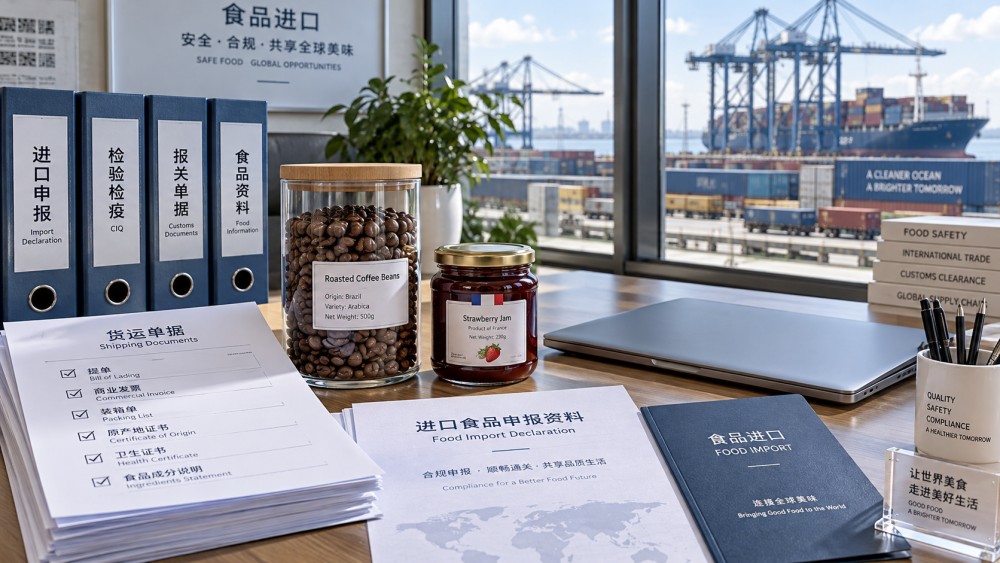
For example, a container holding roasted coffee and fruit preserves needs distinct product descriptions and codes. Even similar products require attention when their processing, manufacturer, or other notice information differs. Use invoice lines to organize the work, but base the notices on the food articles and required information.
Enter the common or usual food name clearly. “Food products” is too broad to identify a specific article. Descriptions such as “frozen raw shrimp” or “roasted coffee beans” provide a useful starting point, followed by the more detailed information requested by PNSI.
4. Select the FDA product code carefully
The FDA product code is separate from the Harmonized System tariff code used for customs classification. Do not paste an HS code into the FDA product-code field.
Use the product-code search or builder available through FDA’s tools. Select the category and characteristics that describe the food’s actual condition. Raw, cooked, dried, frozen, and canned forms can lead to different classifications. Packaging also matters where it forms part of the code selection.
Read the completed code description before accepting it. A broad match to “seafood” does not establish that the code describes frozen raw shrimp correctly. Product specifications and label information are more useful here than a short marketing description.
5. Enter quantity, facility, and origin information
Follow the portal’s quantity fields and units consistently. If the packing list states cartons, inner packages, and weight, preserve those relationships when entering the requested package hierarchy. Check whether a weight figure is net food weight or gross shipping weight before using it.
Enter facility registration information when the notice requires it. The number should belong to the relevant facility, not another location within the supplier’s group. If PNSI provides a reason or alternative-information pathway for circumstances where a number is not supplied, select the option that accurately describes the situation.
Answer the refused-entry question separately from the origin fields. It concerns countries that have refused entry to the food article; it is not a request to list every country through which the shipment traveled.
6. Review every article and submit
Compare the completed records with the shipment worksheet and supporting documents. Focus on details that can look plausible while still being wrong: facility identity, product code, units, production country, arrival port, and transport references.
Resolve validation messages, then complete the submission for every required article. Validation helps detect missing or inconsistent fields, but it cannot establish that a business name or product description matches the goods.
Check that each article reaches a submitted status and receives an FDA prior notice confirmation number. A saved shipment, completed data-entry screen, or draft notice is not proof that FDA has received the filing.
Save the confirmation and connect it to the shipment
Download or print the confirmation information and retain it with the shipment documents. Where several articles are involved, keep a simple mapping between each food article and its confirmation number. This allows the broker or receiving party to identify which notice covers which goods.
Provide the confirmation information to the party managing U.S. entry. For international mail, the prior notice confirmation number must accompany the package. Food carried by an individual that requires prior notice also needs the confirmation information available for presentation.
A confirmation number acknowledges receipt of the notice; it does not mean FDA has approved the food or released the shipment. Facility registration, labeling, admissibility, customs entry, and other applicable obligations remain separate. For seafood and perishable agricultural goods, maintain the cold-chain and arrival plan alongside the filing records.
Handle changes without losing control of the record
Shipment details can change after submission. Compare each change with the filed notice before deciding whether further action is needed. PNSI permits certain arrival-related information to be updated, while changes to other required information can require cancellation and a new notice.
A replacement food product, different manufacturer, or revised quantity should prompt a review of the affected article. Do not assume a submitted notice can be freely edited like a draft. When a new notice is necessary, it must meet the applicable advance-notice deadline.
Keep the broker and carrier informed about replacement confirmation numbers. Clearly distinguish canceled records from the notices that apply to the shipment so that an older printout does not remain in use.
If the portal becomes unavailable near the deadline, use FDA’s published PNSI contingency instructions and Prior Notice Center contact route. An ordinary email or a screenshot of unfinished data entry does not substitute for a confirmed submission.
Before handing over the shipment file, confirm three things: every food article has the correct submitted notice, the confirmation numbers are matched to the goods, and the party handling arrival has those records. That handoff turns a completed portal submission into information that can actually support the shipment at entry.
Got questions about this industry topic or seeking best practices for your business? Drop us a line below, and let the expert team at AgriTrade help you out.
We respect your privacy. Your information is strictly confidential.
Related News
- 00
0000-00
Three Keywords Behind the $650 Million in US-China Agricultural Deals - 00
0000-00
2026 China–US Agricultural Trade Dialogue Held in Shanghai - 00
0000-00
USDA Reports Corn Sales to Mexico and South Korea, Soybean Sale to Unknown Destination - 00
0000-00
USDA Reports 120,000-Tonne Soybean Sale to Unknown Destinations on October 28 - 00
0000-00
Customs Data or Crop Forecasts: Which Tracks Soybean Export Supply?
0000-00
Export News Editorial Team
Weekly Insights
Stay ahead with our curated technology reports delivered every Monday.